Build your game
The quest map
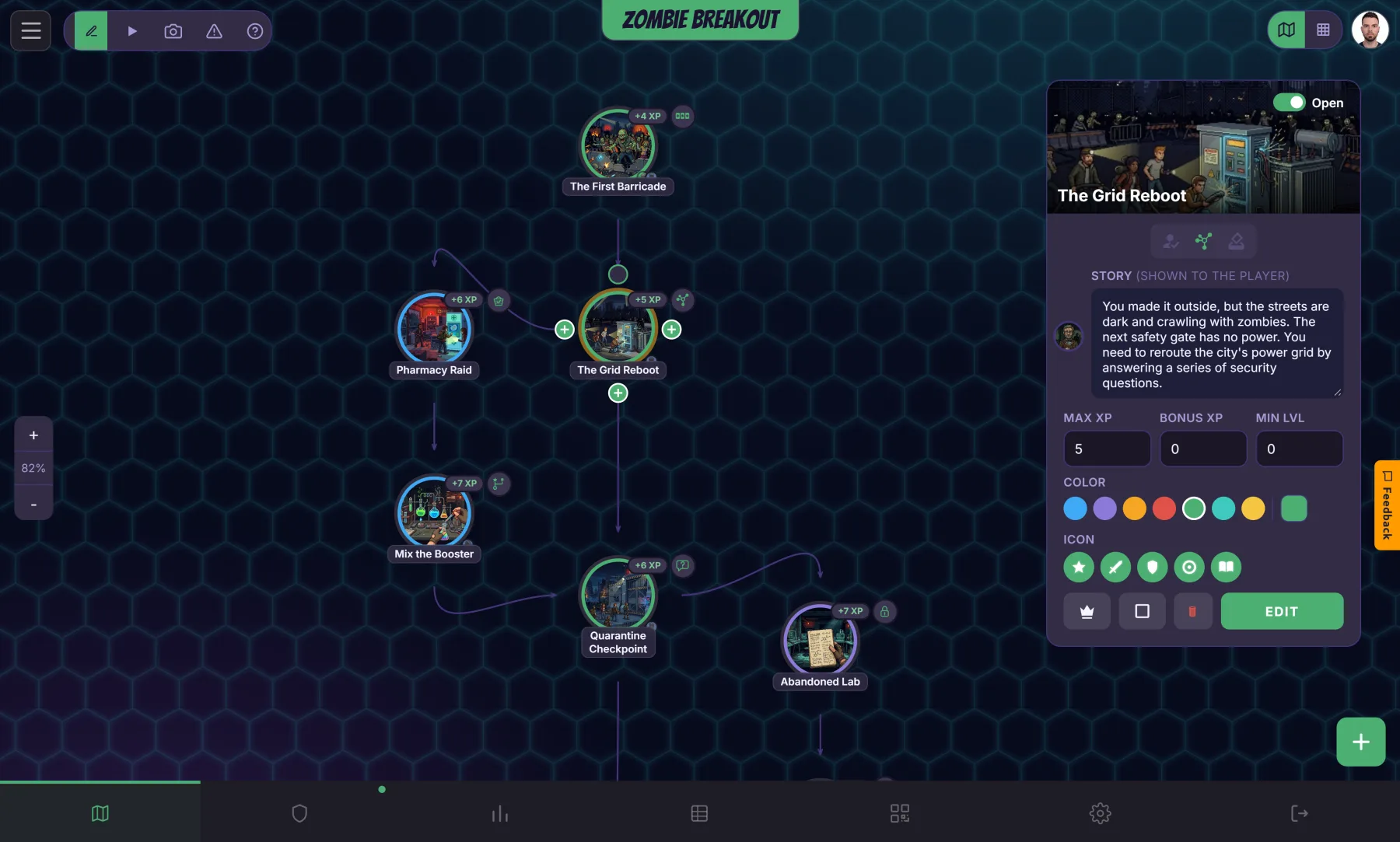
In a quest map game, the map is both the editor and the player's quest browser. Each quest is a node, and arrows show which quests are required first.
- Drag quests to arrange the map, or use the Table view for a compact list of the same quests.
- Connect quests with "requires" arrows. A quest with a gate stays locked until its requirements are met.
- Players open the map, pick an available quest and see their progress.
- The gamemaster can preview the map, edit quests and open the inspector for a single quest.

Click a gate on the map to set how many connected quests players must complete before they can pass. Each click raises the number; the gate shows "2 of 3 required", or "All required" when every connected quest must be done.
The four map structures are planning aids, not required layouts.